Ruby on Railsをインストールして試してみる †
Ubuntuが提供しているパッケージを使用してRuby on Railsをインストールし、簡単なWebアプリを作成する記事となります。
数個のコマンドを実行することにより、一覧表示、登録、変更、削除のWebアプリケーションが作成できます。
コマンドラインに慣れた方であれば、10分もかからないと思います。
スポンサーリンク
使用した環境 †
本記事の動作確認を行ったOSは以下の2つになります。
- OS
- Ubutnu 18.04 LTS
- Ubutnu 16.04 LTS
- DB
Ruby on Rails と sqlite3のインストール †
Ruby on Railsとsqlite3のインストールを行います。
本記事では、Ubuntu18.04,16.04でのインストール方法を紹介しています。
他のOSやディストリビューションの場合は、別途環境を準備してください。
- ターミナルを起動します。
- 以下のコマンドを実行します。
sudo apt install rails sqlite3
- パスワードを聞かれた場合は、パスワードを入力し、Enterキーを押します。
- [Y/n]の問い合わせが表示されたら、Yキーを押し、Enterキーを押します。
以上の作業でRuby on Railsとsqlite3のインストールは完了です。
アプリケーションを作ってみる †
cryptocurrencyというアプリケーション名で、仮想通貨のマスタテーブルの一覧表示、登録、変更、削除を作成してみます。
今回もターミナル操作となります。
- ターミナルを起動します。
- ホームディレクトリに移動します。(デフォルトでホームディレクトリになっていると思いますが…)
cd ~
- Ruby on Railsのアプリケーションを格納するディレクトリを作成します。
mkdir rails_app
- rails_appディレクトリにcdします。
cd rails_app/
- railsコマンドを使って、cryptocurrency webアプリケーションの雛形を作成します。
rails new cryptocurrency --skip-bundle --database sqlite3
以下のような出力がされれば成功です。
sakura@stream:~/rails_app$ rails new cryptocurrency --skip-bundle --database sqlite3
     create
     create  README.rdoc
     create  Rakefile
     create  config.ru
     create  .gitignore
     create  Gemfile
     create  app
     create  app/assets/javascripts/application.js
     create  app/assets/stylesheets/application.css
     create  app/controllers/application_controller.rb
     <省略>
- cryptocurrencyディレクトリにcdします。
cd cryptocurrency
- rakeコマンドを使用して、sqlite3のDBを作成します。
rake db:create
本操作により、以下のようにsqlite3のDBファイルが作成されていることが確認できます。
sakura@stream:~/rails_app/cryptocurrency$ ls -l db/development.sqlite3
-rw-r--r-- 1 sakura sakura 0  5月 31 00:02 db/development.sqlite3
- 仮想通貨マスターとなるテーブルを作成します。
テーブルは以下の構成とします。
- currencies
| code:通貨コード | string |
| name:通貨名 | string |
| supply_limit:発行上限数 | integer |
| block_time:ブロックタイム | integer |
| ledger_start:開始日 | date |
- 以下のコマンドで上記のテーブルを作成するマイグレーションファイルを生成します。
rails generate scaffold currencies code:string name:string supply_limit:integer block_time:integer ledger_start:date
以下のように表示されれば成功です。
sakura@stream:~/rails_app/cryptocurrency$  rails generate scaffold currencies code:string name:string supply_limit:integer block_time:integer ledger_start:date
[WARNING] The model name 'currencies' was recognized as a plural, using the singular 'currency' instead. Override with --force-plural or setup custom inflection rules for this noun before running the generator.
     invoke  active_record
     create    db/migrate/20180530153147_create_currencies.rb
     create    app/models/currency.rb
     invoke    test_unit
     create      test/models/currency_test.rb
     create      test/fixtures/currencies.yml
     invoke  resource_route
      route    resources :currencies
     invoke  scaffold_controller
     create    app/controllers/currencies_controller.rb
     invoke    erb
     create      app/views/currencies
     create      app/views/currencies/index.html.erb
     create      app/views/currencies/edit.html.erb
     create      app/views/currencies/show.html.erb
     <省略>
テーブルを作成するためのマイグレーションファイルが作成されています。(日時は作成した時の日時がファイル名に付与されています。)
sakura@stream:~/rails_app/cryptocurrency$ ls -l db/migrate/
合計 4
-rw-rw-r-- 1 sakura sakura 275  5月 31 00:31 20180530153147_create_currencies.rb
sakura@stream:~/rails_app/cryptocurrency$
- 作成されたマイグレーションファイルにnot null制約を付与します。
db/migrate/にあるファイルになります。
- 修正前
class CreateCurrencies < ActiveRecord::Migration
  def change
    create_table :currencies do |t|
      t.string :code
      t.string :name
      t.integer :supply_limit
      t.integer :block_time
      t.date :ledger_start

      t.timestamps null: false
    end
  end
end
- 修正後
codeとnameにnot null制約を付与しました。
class CreateCurrencies < ActiveRecord::Migration
  def change
    create_table :currencies do |t|
      t.string :code, :null => false
      t.string :name, :null => false
      t.integer :supply_limit
      t.integer :block_time
      t.date :ledger_start

      t.timestamps null: false
    end
  end
end
- 以下のコマンドでテーブルを作成します。
rake db:migrate
以下のように表示されれば成功です。
sakura@stream:~/rails_app/cryptocurrency$ rake db:migrate
== 20180530153147 CreateCurrencies: migrating =================================
-- create_table(:currencies)
   -> 0.0039s
== 20180530153147 CreateCurrencies: migrated (0.0044s) ========================
- sqlite3にcurrenciesテーブルが作成されているか確認します。
sakura@stream:~/rails_app/cryptocurrency$ sqlite3 db/development.sqlite3
SQLite version 3.11.0 2016-02-15 17:29:24
Enter ".help" for usage hints.
sqlite> .schema currencies
CREATE TABLE "currencies" ("id" INTEGER PRIMARY KEY AUTOINCREMENT NOT NULL, "code" varchar NOT NULL, "name" varchar NOT NULL, "supply_limit" integer, "block_time" integer, "ledger_start" date, "created_at" datetime NOT NULL, "updated_at" datetime NOT NULL);
sqlite> .tables
currencies         schema_migrations
sqlite> .quit
- Railsのサーバを起動します。
rails server
実際に起動した時の出力です。(停止する場合はCtrl+Cを押します。)
sakura@stream:~/rails_app/cryptocurrency$ rails server
=> Booting WEBrick
=> Rails 4.2.6 application starting in development on http://localhost:3000
=> Run `rails server -h` for more startup options
=> Ctrl-C to shutdown server
[2018-05-31 00:40:19] INFO  WEBrick 1.3.1
[2018-05-31 00:40:19] INFO  ruby 2.3.1 (2016-04-26) [x86_64-linux-gnu]
[2018-05-31 00:40:19] INFO  WEBrick::HTTPServer#start: pid=11785 port=3000
これでアプリケーションの作成は完了です。
以下、実際にブラウザでアクセスしてみます。
ブラウザでアクセスする †
上記の最後で、rails severでcryptocurrencyアプリを起動しました。
ブラウザでアクセスする場合、以下のようになります。(同一マシンで動作確認をします。)
http://127.0.0.1:3000/テーブル名
なので、以下のようになります。
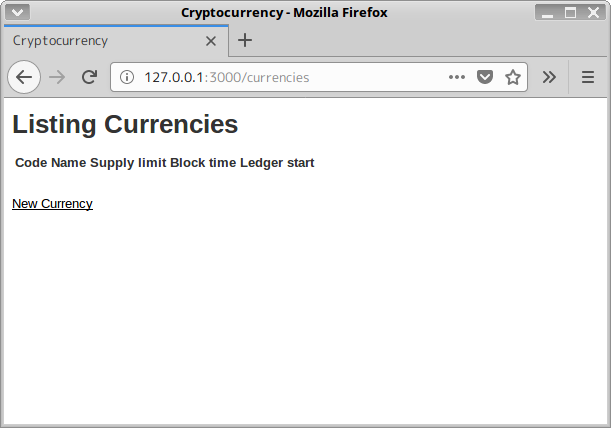
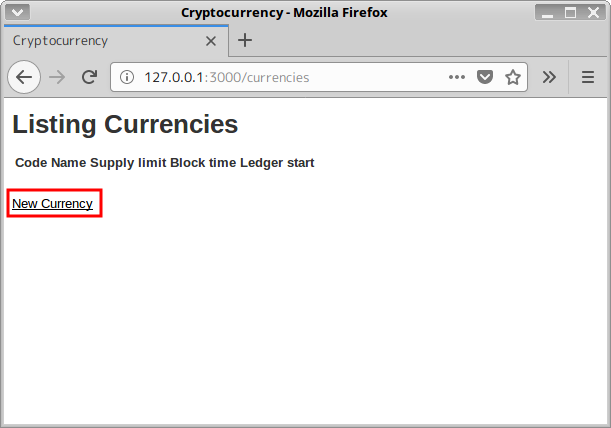
一覧表示画面ですが、何も登録されていないので以下のようなスクリーンショットになります。
http://127.0.0.1:3000/currencies
登録してみる †
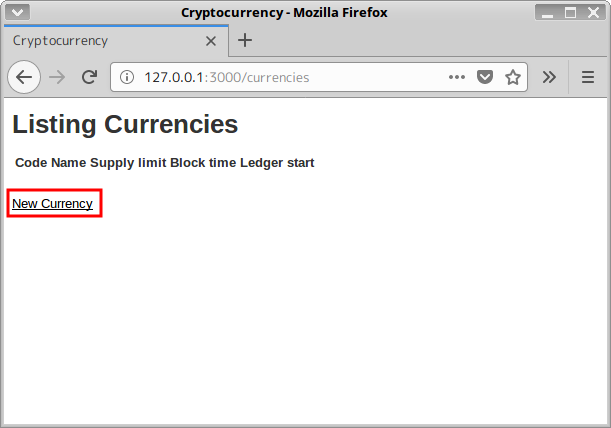
- New Currencyのリンクをクリックします。
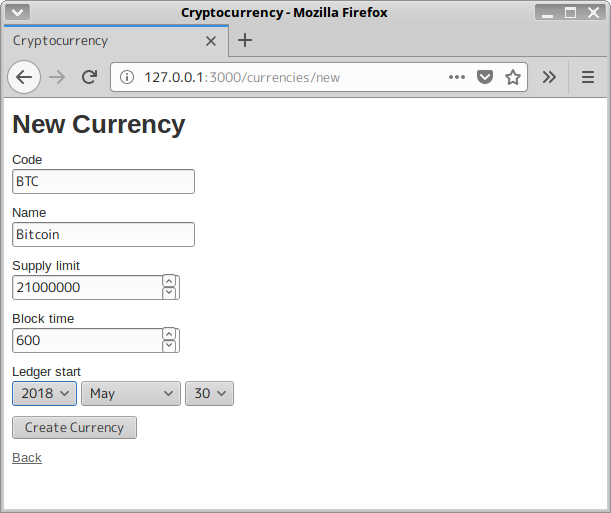
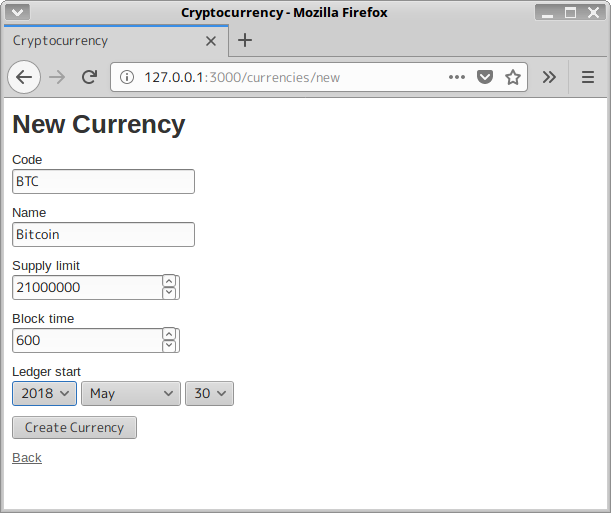
- 登録画面が表示されます。
以下のスクリーンショットのように入力しCreateCurrencyボタンで登録します。
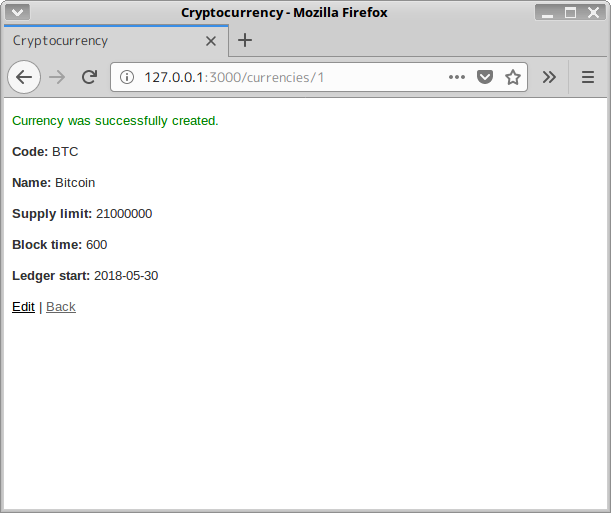
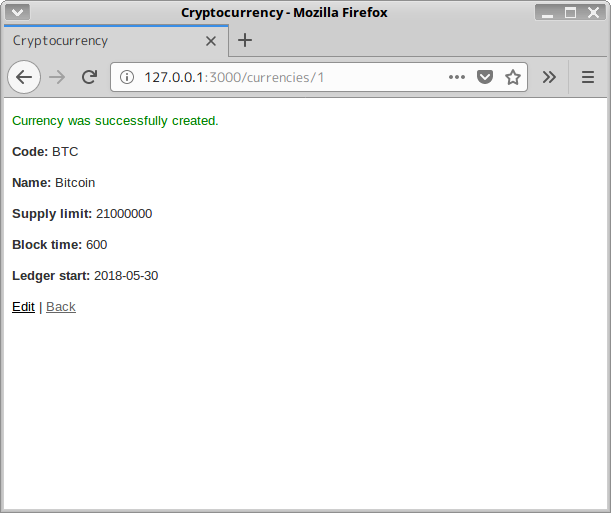
- 登録が完了しました。
Backのリンクをクリックして一覧に戻ります。
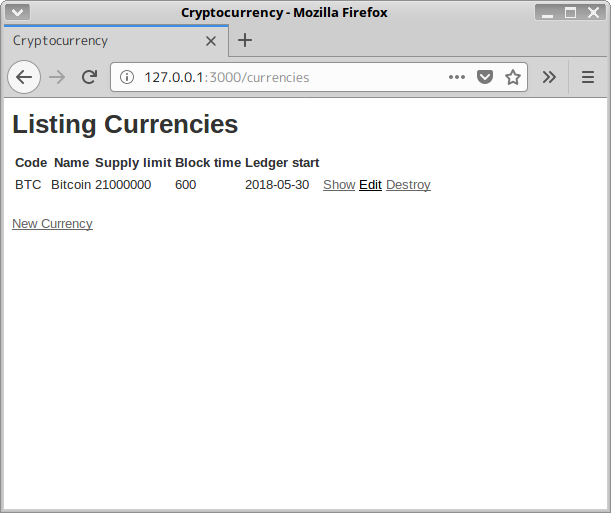
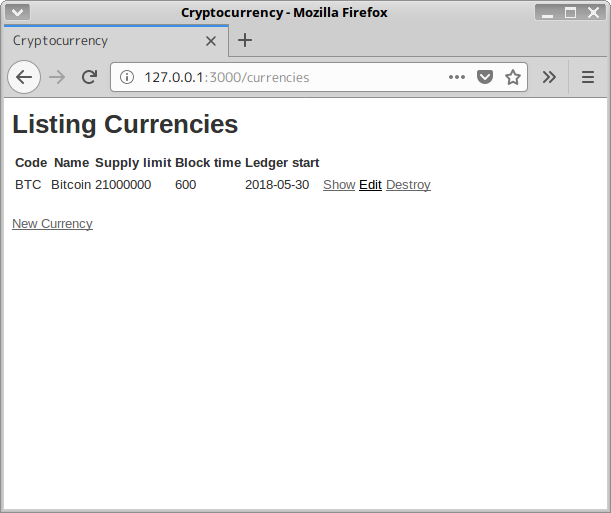
- 一覧が表示されます。
あとは、Editリンクをクリックすると変更登録、Destoryリンクで削除、Showリンクで閲覧になります。
登録した情報がsqlite3のDBファイルにあるか確認してみます。
sakura@stream:~/rails_app/cryptocurrency$ sqlite3 db/development.sqlite3
SQLite version 3.11.0 2016-02-15 17:29:24
Enter ".help" for usage hints.
sqlite> select * from currencies;
1|BTC|Bitcoin|21000000|600|2018-05-30|2018-05-30 15:52:11.255138|2018-05-30 15:52:11.255138
sqlite>
以上、Ruby on Railsをインストールして試してみる手順でした。
スポンサーリンク
![[PukiWiki]](image/logo.png "[PukiWiki]")


 05.png
 04.png
 03.png
 02.png
 01.png


